


This indoor cell phone signal booster is built around a single band: LTE 1800 MHz, also known as Band 3. The Greetwin GW-20HD takes the tower signal that reaches the outside of a building, amplifies it linearly and rebroadcasts it through a service antenna in the room that needs coverage. Nothing is registered, transcoded or paired — the same radio signal simply arrives indoors at a usable level, and the return path to the tower is amplified as well so calls connect instead of dropping.
It replaces the walk to the window. Instead of standing in one spot to hold a call, a house or a small office gets a steady Band 3 signal in the rooms the service antenna reaches, and handsets stay on LTE instead of falling back to a slower network.
The case is a slim wall-mounted box with a ribbed top that works as a heatsink, so the unit runs without a fan — nothing to hear in a bedroom and no moving part to wear out. A single adapter feeds it from any normal mains supply, and the front panel keeps the power and alarm indicators where you can see them.
Where a repeater earns its place is the gap between usable and unusable outdoor signal: strong on the roof, almost nothing at the back of the house. If there is no Band 3 signal outside the building at all, gain will not create one, and a different band or a different approach is needed instead. Tell us your country and operator if you are not sure which band your phones use there.
Shopping for a commercial cell phone signal booster — or a domestic one — usually means comparing vague coverage promises. The figures that actually decide whether a repeater helps you are band, gain, output power, noise figure and the way the unit behaves when the incoming signal swings — all of them are set out in the tables below.
| Frequency range (LTE1800) | Uplink 1710–1785 MHz / Downlink 1805–1880 MHz |
| Gain | Uplink 65 dB ±2 / Downlink 70 dB ±2 |
| Output power | Uplink 17 dBm ±2 / Downlink 20 dBm ±2 |
| Bandwidth | Wide band |
| Manual gain control | 31 dB range, 1 dB steps |
| Automatic gain control | > 30 dB |
| Ripple in band | ≤ 2 dB |
| Noise figure | ≤ 6 dB |
| VSWR | ≤ 2.0 |
| Intermodulation | ≤ -40 dBc |
| Spurious emission | 9 kHz – 1 GHz ≤ -36 dBm; 1 – 12.75 GHz ≤ -30 dBm |
| Time delay | ≤ 1.5 µs |
| Frequency stability | ≤ 0.01 ppm |
| MTBF | > 50,000 hours |
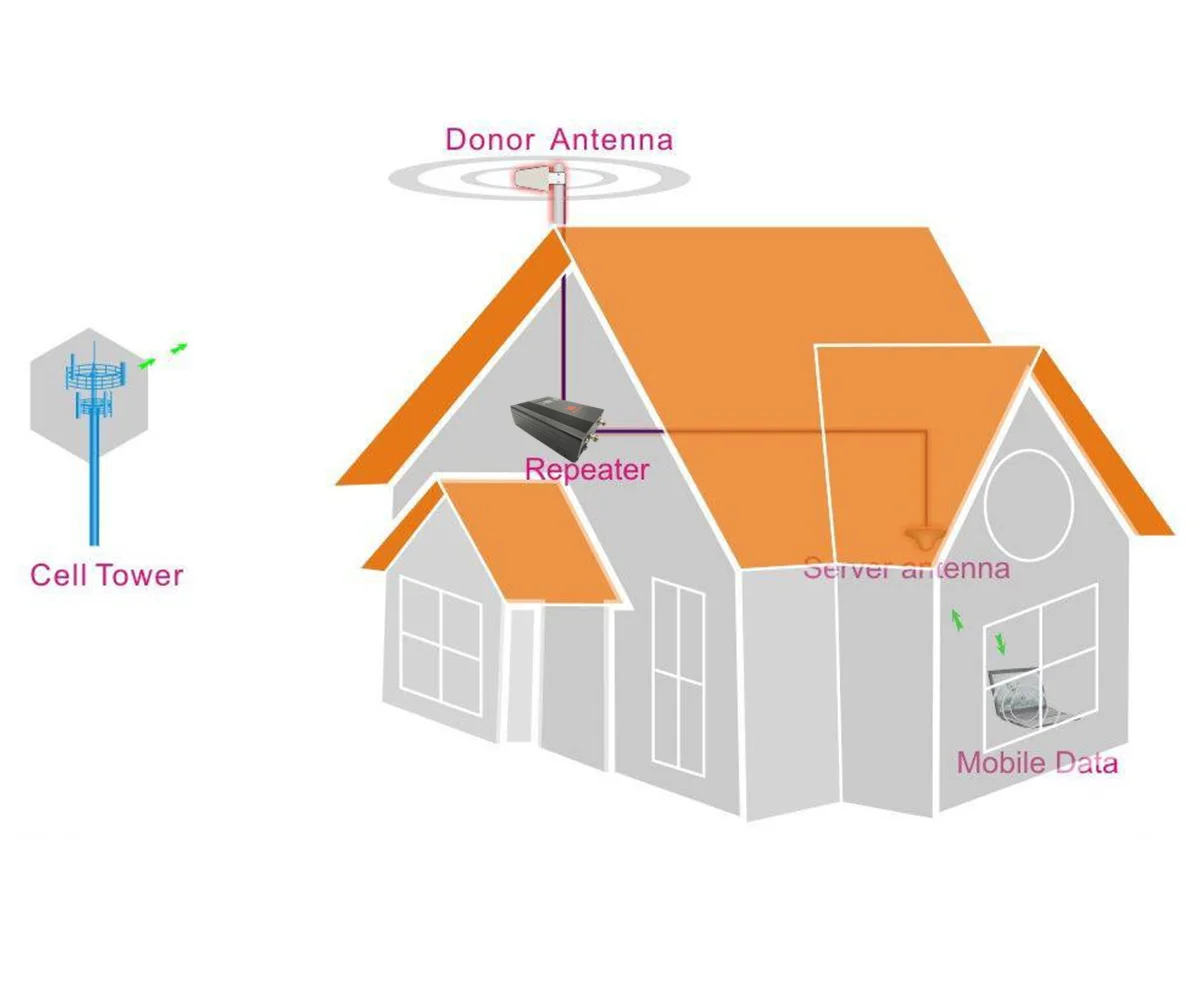
A repeater moves coverage rather than creating it. The donor antenna goes where your phone already shows a usable outdoor signal — a roof edge, a balcony rail, a gable wall facing the nearest mast. Coaxial cable runs from it to the BTS port on the unit, and a service antenna on the MS port rebroadcasts inside. Keep the two antennas physically apart, ideally separated by a wall or a floor, and most of the installation decisions are already made.
Greetwin rates the unit for roughly 3,000–6,000 m² of open space without obstruction. Treat that as the ideal case when planning a cell signal booster for home setup: interior walls, reinforced concrete, metal shelving and low-emissivity glass all take their share, and in a normal house you should expect strong coverage in the rooms closest to the service antenna rather than in every corner. In a long or multi-storey building, two service points usually beat one unit turned up to maximum.
The outdoor reading decides everything, so measure before you drill. Switch the phone to its field-test or network-info screen, walk to the proposed antenna position and note the level the handset reports there. A weak but steady reading is workable. Nothing at all means the antenna needs to move, the band is not in use at your address, or the site needs a different solution — no signal booster for cell phone installation can amplify a signal that is not there in the first place.
Shops, clinics and small offices use the same hardware. Where a counter or a treatment room sits behind a thick façade, the unit works as a low-power commercial cell phone signal booster for staff handsets and tablets, provided the outdoor antenna can still see the mast. Tell us the floor plan when you order and we will say plainly whether one unit is realistic or whether the site needs more.

| Impedance | 50 ohm |
| RF connector | N-Female (BTS and MS ports) |
| Power supply | AC 90–264 V, DC 9 V/5 A |
| Power LED | Power indicator |
| Alarm LED | Red for self-oscillation or strong input signal; green when normal |
| Switches | Power switch and manual gain control switch |
| Cooling | Heatsink, convection cooled, no fan |
| Operating temperature | -10 °C to +55 °C |
| Ingress protection | IP40 |
| Installation type | Wall installation |
| Dimensions | 205 × 128 × 15 mm |


The carton holds the booster unit, an AC 90–264 V / DC 9 V 5 A power adapter, an AC power cord in the plug standard for your region (EU, US, UK, SA or China), an installation kit and a printed user manual. That covers everything a cell phone signal booster for home install needs at the unit end.
Antennas and coaxial cable sit outside the standard package, because the right donor and service antennas depend on the building. If you already have 50 ohm antennas and cable, this is a direct replacement for the unit you are taking out. If you do not, describe the layout when you order — roof or wall, rough cable run, how many rooms need coverage — and we will confirm which antennas and cable to add rather than leave you guessing. Check the carton on arrival, keep the manual with the unit, and photograph any transit damage before signing for it.

One unit does not open a separate line for each phone. It amplifies the whole 1800 MHz slice it is tuned to, so every handset, tablet and mobile dongle in the covered area draws on the same improved signal at the same moment — nothing to pair, no app to install, no list of registered devices to keep. A family's four or five phones, a couple of tablets and a laptop on a mobile connection all sit on that one amplified path.
What the shared figure actually means. The 20 dBm downlink and 17 dBm uplink output is a single power budget spread across the area the service antenna reaches, not an allowance per device. Close to the antenna a phone needs very little of it; at the far edge of the room the same phone takes a weaker share. That is why the practical question is less "how many phones" and more "how far from the antenna" — two handsets at the edge of coverage compete harder than eight phones gathered in the room where the unit is installed.
Sizing for a household or a small team. In a normal house, one service antenna carries everyday use comfortably: calls, messaging, browsing and video on a couple of screens at once. Strain appears when several people stream or take video calls simultaneously from the far end of the building, because each of them is asking for a share of the same output. The 31 dB manual gain control lets you pull the amplifier back if the front panel complains, but it cannot manufacture capacity the tower is not delivering to your address in the first place.
Phones working on a strong signal do not have to push their transmit power up to hold a connection, so handsets running through the booster tend to run cooler and hold a charge longer. It is a quiet benefit of a cell signal booster for home use that most people notice a week or two after installation rather than on the first day.
For a shop, clinic or office with a dozen or more connected devices spread over several rooms, plan two service points instead of one unit turned up to maximum. Distance and walls, not device count, decide who gets a usable share — send us the floor plan and we will mark where each service antenna should sit. Then test it under real load: run a data test at the busiest hour while colleagues use their own phones, and if the edge of the area falls away, move the antenna rather than reaching for the gain switch.
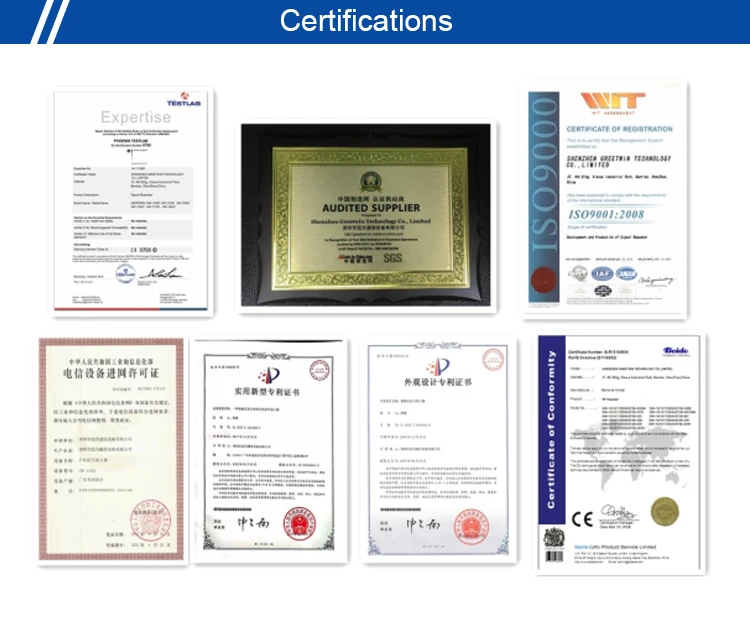
Getting the right model matters more than anything else, so Greetwin builds technical support into every order. Tell us the band, the site and the coverage you need, and our engineers will match a model to it, check gain and output power against your installation, and say plainly when something will not fit. We also advise on antenna placement, cabling and commissioning, then stay with you through troubleshooting once the system is running. All of this is backed by our ISO 9001 certified production in Shenzhen, responsive after-sales service and spare parts.
Work through the chain in order. Confirm the booster and its power supply are both switched on, then check that the outdoor antenna connector, every RF cable joint and the indoor antenna connector are tight and properly mated. Next, verify the outdoor signal is genuinely strong enough at the donor position and that the antenna points at the mast rather than over it. Check that the cable type suits the band and the run length. If everything is correct and the front panel still shows a fault, the two antennas are probably too close together — separate them and test again.
Weak edges are usually a planning issue rather than a fault. Check the outdoor signal level and the antenna direction first, then confirm the booster is running at full gain and that every connector is tight. Moving one or both antennas often changes more than turning the gain up. Cable type matters as well, since thin cable loses much of the signal over a long run. In a large or awkwardly shaped building, a second indoor antenna covers the far end better than pushing one antenna harder — a cell signal booster for home setup in a long house almost always benefits from that.
Start with antenna separation. If the donor and service antennas are too close, the unit hears its own output and the alarm LED will not stay green, so check the front panel first. Then check whether the signal arriving at the donor antenna is itself stable: a mast that fades in and out at that position will produce the same behaviour indoors, and moving the antenna usually helps. Finally, re-check the cabling — a loose connector or a cable re-plugged in the wrong order will make a correctly sized system behave erratically, so reconnect the system if the layout is not as it should be.
Check the adapter against your mains first: the input range printed on it has to match the local supply. Then check that the adapter is firmly connected to both the wall socket and the DC IN port on the unit. If the LED is still dark, measure the adapter's output voltage with a multimeter and compare it with the value printed on its label. A failed adapter is the usual cause, and it is a separate part from the booster itself.
Any handset, tablet or mobile dongle working on Band 3 at 1800 MHz will use the amplified signal — voice, data and video all travel the same path, and no app, pairing or SIM registration is involved. The band is the limit, not the brand: if your operator runs LTE on that band in your area, this cell phone signal booster for home or small-office use will serve the devices sitting on it. If your service comes through 800 MHz, 2100 MHz or 2600 MHz, a different model is the right one.
There is no handset count to hit. The unit amplifies a slice of radio spectrum rather than opening a session for each device, so every phone in the covered area shares the same improved signal. What limits a busy household or a small team is the coverage footprint and the gain available, not the number of devices — if several rooms need service at once, plan the antenna positions rather than adding handsets to the calculation. This indoor cell phone signal booster treats a family's phones and a small team's tablets on the same footing.
Both ports on the unit are N-Female, so the coaxial cable needs N male connectors at the booster end and the matching connector for your antennas at the other. Use 50 ohm coaxial cable rated for 1800 MHz and keep the run as short as the layout allows: signal lost in a long, thin cable is signal the amplifier never gets to use. Cable type is one of the usual suspects when a signal booster for cell phone installation underperforms, so if the run is longer than a normal domestic install, tell us the length and we will confirm what to use.


